TL;DR
- There’s no account in Mealcents and no server that receives your data. Your plans, prices and pantry stay on your iPhone.
- The ML that runs today is Apple’s on-device text recognition. It reads receipts and pantry labels. The budget math is plain, deterministic code.
- Apple’s on-device language model is wired in for the jobs it’s good at, which are about words. It stays out of the money.
We haven’t cooked enough since our first child was born. Cooking was the first thing to go, and we never really decided to stop. We just had less time and a lot more pressure, and ordering dinner takes a few taps on a phone. So we DoorDashed, and kept DoorDashing, and after a while that was just how we ate.
Now we need a plan, and we need to stick to it. More recipes won’t help (we have plenty). By a plan I mean that Wednesday’s dinner is decided on Sunday, the stuff is already in the fridge, and the week fits inside our budget. Sticking to it means still cooking on that Wednesday when we’re both wiped out, and that’s the half that always fell apart.
We’ve improved gradually, but we’re not at the point yet where we can rely on home-cooked food. Some weeks the plan holds and some weeks it really doesn’t. Mealcents is what I’m building to help with that, and I’m building it for us first.
You give it your weekly grocery budget and the number of people you’re feeding. It plans seven dinners that fit, and you get the recipes, a Sunday prep plan and a shopping list split by store.
Early on, one of my own marketing drafts said “on-device Apple Intelligence = $0 per plan.” It’s a good line, but it wasn’t true yet, because the code wasn’t there. What I built instead comes out of a rule I wrote before the planner even existed.
The rule: budget math is never guessed
One line in my design doc is behind pretty much every other decision in the app:
Budget math must never be AI-guessed.
Say the app tells you your week costs $62, and then you spend $81 at the store. It has failed at the one thing you asked it to do. Language models are good at writing. At arithmetic they’re more like a tired intern: you get a number that sounds about right, and they sound sure about it.
So I kept the planner boring on purpose:
- Diets and allergies are hard rules. A meal that breaks one never gets into the plan.
- It picks a varied week using seeded randomness. The same inputs always give the same plan, so I can reproduce every bug.
- If the week comes out over budget, it swaps the most expensive meal for a cheaper one and tries again, until the week fits.
- If the week still doesn’t fit, it loosens the soft preferences, always in the same order (cuisine first, then variety, then repeats), and tells you what it gave up.
That last bit, telling you what it gave up, matters more to me than any model. I’d much rather the app said something like “couldn’t fit Thai into $40 this week, so you’ve got two Mexican nights” than have it bend its own promises to hit a number and not tell you.
Where on-device ML actually earns its place
For the first week, estimated prices are fine. The app gets good once it’s planning with your prices, the ones at your store, so Mealcents reads grocery receipts. Reading receipts is also one job where on-device machine learning really is the right tool.
I use Apple’s Vision text recognition for it. It runs right on the phone, so the photo of your receipt doesn’t go anywhere. The model’s only job is to turn pixels into lines of text. Everything after that is code I can test.
NEIGHBORHOOD MARKET
10/18 18:42 · REG 4
Parsed on your iPhone
- chicken thighs$6.48
- jasmine rice$7.99
- yellow onions$2.49
- green bell pepper$1.29
- cilantro$0.99
- coconut milk$2.79
- garlic$0.89
Sum of lines
Printed total $22.92
Matches within 1.5 cents, so every line is marked confident.
On day one of this feature my notes say something like: how hard can reading a receipt be? It was pretty hard.
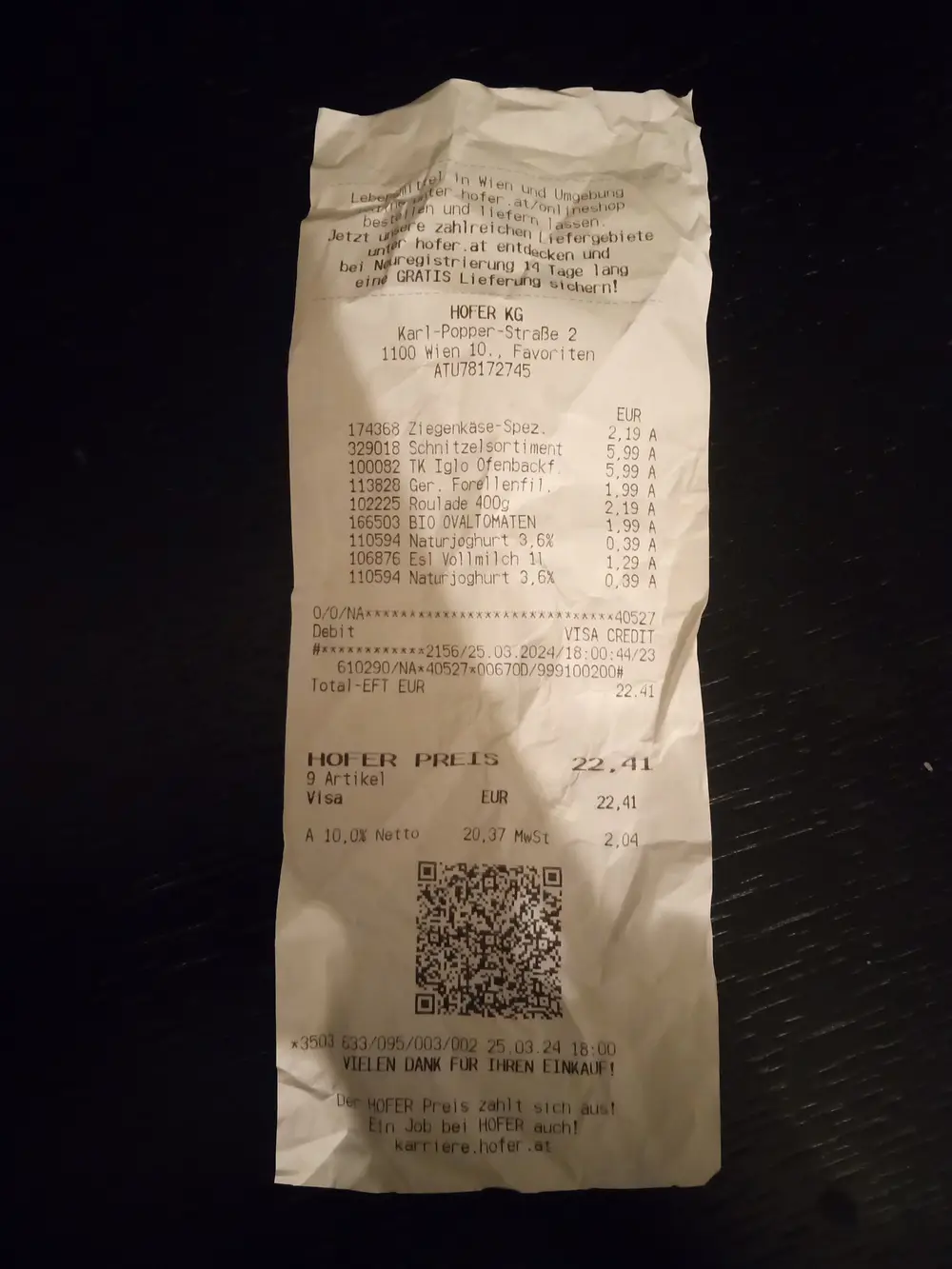
A grocery receipt
- Where
- Vienna, Austria
- By
- Grandmaster Huon
- License
- Public domain

Problem 1: receipts are not tidy
You get lines of text back from OCR, and no positions. And on some receipts the names and the prices come back as two separate columns. So my parser makes two passes. First it tries to read each line as a name with a price. If the receipt came back split, it zips the names and prices back together.
After that it checks its own work. It adds up the items, and if the sum is within a cent and a half of the total printed at the bottom, it marks every line as confident:
// src/lib/receipt.ts (pure function, no AI)
if (total != null && items.length > 0 && Math.abs(sum - total) < 0.015) {
  for (const item of items) item.confident = true;
}
The total is printed right there on the receipt, so I get an answer key without building anything. It was the cheapest accuracy win in the whole app.
Problem 2: “CHKN THGH BNLS”
Every store abbreviates in its own way, and often a store isn’t even consistent with itself. My matcher is just a small table that maps abbreviations to ingredients. That file has a comment at the top which is probably my favourite piece of engineering advice in the whole codebase: keep it small and boring; extend it from real receipts.
Problem 3: you bought a bag, the recipe uses a cup
The receipt tells you the price of the whole package, and the recipe only uses part of it. So what a meal really costs is what you paid, times the share of the package the meal uses. There’s one nasty way for that to go wrong. Say “rice” on the receipt matched rice cakes. The ratio goes wild and the number you get is ridiculous. That’s what this guard is for:
// src/lib/pricing.ts
// "rice" matching rice cakes: keep the estimate rather than show a silly number.
if (ratio > MAX_RATIO || ratio < 1 / MAX_RATIO) return estimate;  // MAX_RATIO = 4
When the guard trips, the app falls back to the estimate and labels it as one. I’ll take that over a wrong number that looks precise, any day. It’s another rule straight from the design doc: never show a fake precise price for an estimate.
Problem 4: OCR will happily invent food
You can scan pantry labels too. If the matcher just looked for keywords anywhere in the photo, it would see “Black olives” and “Pinto beans” on the same shelf and decide you own black beans. So the keywords have to be on the same line, or two neighbouring lines, and the most specific match wins.
Allergies are a data problem, not a model problem
The app ships with 80 dinners from 10 cuisines, and I didn’t tag any of them by hand for diets or allergens. The tags are computed from an ingredient database, because a person tagging recipes by hand misses the traps:
- soy sauce has wheat in it,
- Thai red curry paste often has shrimp in it,
- traditional parmesan is made with animal rennet, so it isn’t vegetarian.
Each trap gets written down once, on the ingredient itself. A validation script has to pass before anyone (fine, me) can commit a change to the catalog. If I ever tell someone a meal is safe for their kid’s allergy, I want a rule behind that, one I can test.
So where does the language model go?
It’s already in the app. Apple’s on-device Foundation Models framework is wired in through a native module and the Vercel AI SDK. I installed every native piece up front on purpose. Mealcents is built with Expo and React Native, so as long as the native layer stays the same I can ship new features over the air, without waiting on a full App Store review. That makes model features “just JavaScript” on top.
I’m saving it for the things language models are good at:
- Adapting a recipe to your pantry or your diet. The swap gets checked against the same ingredient rules as everything else.
- Sorting out ambiguous receipt names that the boring table can’t resolve. Its answer is a suggestion you can confirm.
- Writing the friendly copy around a plan, after the plan has been computed exactly.
In each of those the model suggests words. Code decides the numbers and anything to do with safety. Running the model on your phone also helps with cost. A lot of AI apps get sunk by paying for inference on every single request, and for me that cost is close to zero. It’s a big part of why a tiny indie app like this can afford a real free tier.
The downside is that the on-device model only runs on recent iPhones with Apple Intelligence. So every model feature needs a fallback that works without it, which is one more reason the core of the app can’t lean on the model.
Practice, not a fix
Since I became a parent I’ve thought a lot more about one moment in the Bhagavad Gita. Arjuna tells Krishna that the mind is restless and stubborn, about as easy to hold still as the wind. Krishna agrees that it’s hard. Then he says it can be steadied anyway, with abhyasa, practice, and vairagya, letting go.

Krishna and Arjuna at Kurukshetra
- What
- Illustrated Bhagavad Gita
- When
- About 1820
- Where
- San Diego Museum of Art
- Source
- Wikimedia Commons
- License
- Public domain

That’s the best description of rebuilding a habit I’ve come across. An app can’t make anybody cook, but it can make the practice cheaper. The plan is already made on Sunday, the list is split by store and the week fits the budget. It helps with the letting go, too. When a week won’t fit, Mealcents tells you what it dropped. And when a week falls apart anyway (ours still do sometimes), next Sunday is just a new plan, and no guilt gets carried over from the last one.
This is also why the budget math has to be exact. For practice to work you have to trust the feedback. If the app says $62 and the receipt says $81, you stop believing the app, and pretty soon you stop practising.
What I’d tell another indie dev
- Work out your “never guessed” rule. Every app has one number or one promise that has to be exact. Mine is the budget math. Keep the model away from yours.
- Look for an answer key you get for free. A receipt prints its total, and a recipe has known ingredients. If the world already tells you the right answer, validate against it.
- Label an estimate as an estimate. I’d take an honest estimate over a precise number that’s wrong. People will forgive “about $14,” but they won’t forgive a wrong “$13.87.”
- Make things reproducible. Because the randomness is seeded, “sometimes the plan is weird” is now a bug I can replay.
- Don’t let the marketing get ahead of the code. Mine did, and this post is partly me fixing that.
As for us, progress is slow, but it’s there. We cook more than we did last year (still less than I’d like), and most Sundays there’s a plan.
Mealcents is in TestFlight right now. I’m still working through the last pieces before it goes to the App Store. If you want to follow along, the site is getmealcents.com.